
PROJECTS
Station Rescue: M-07
A1.0 · Playable Windows game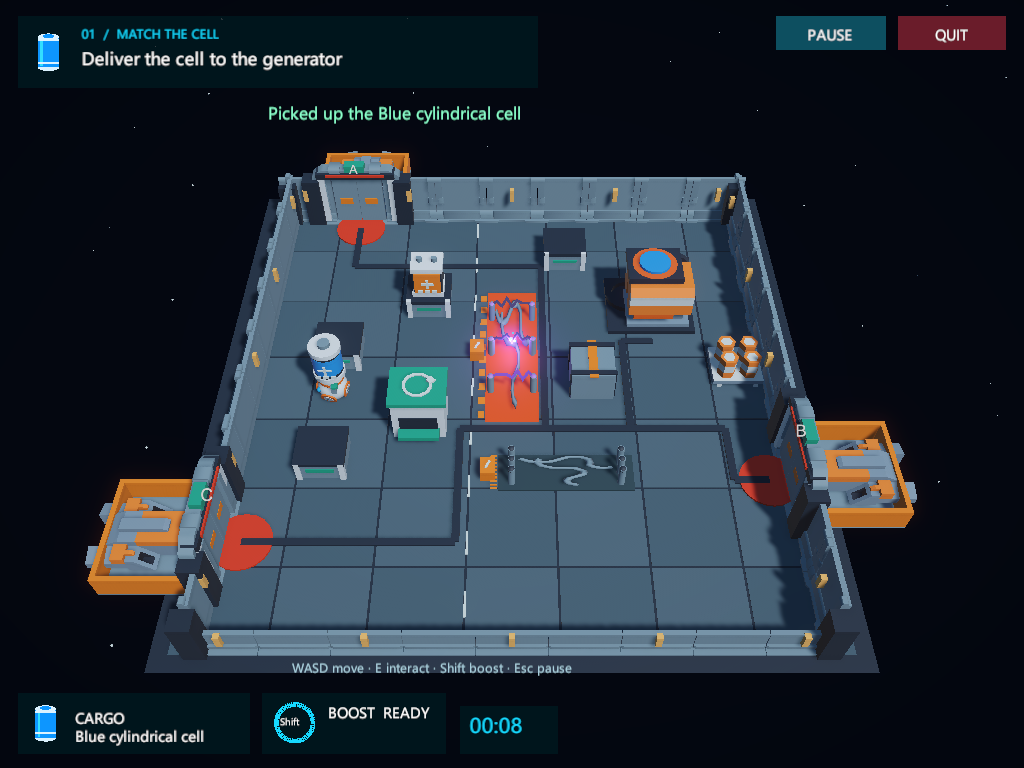
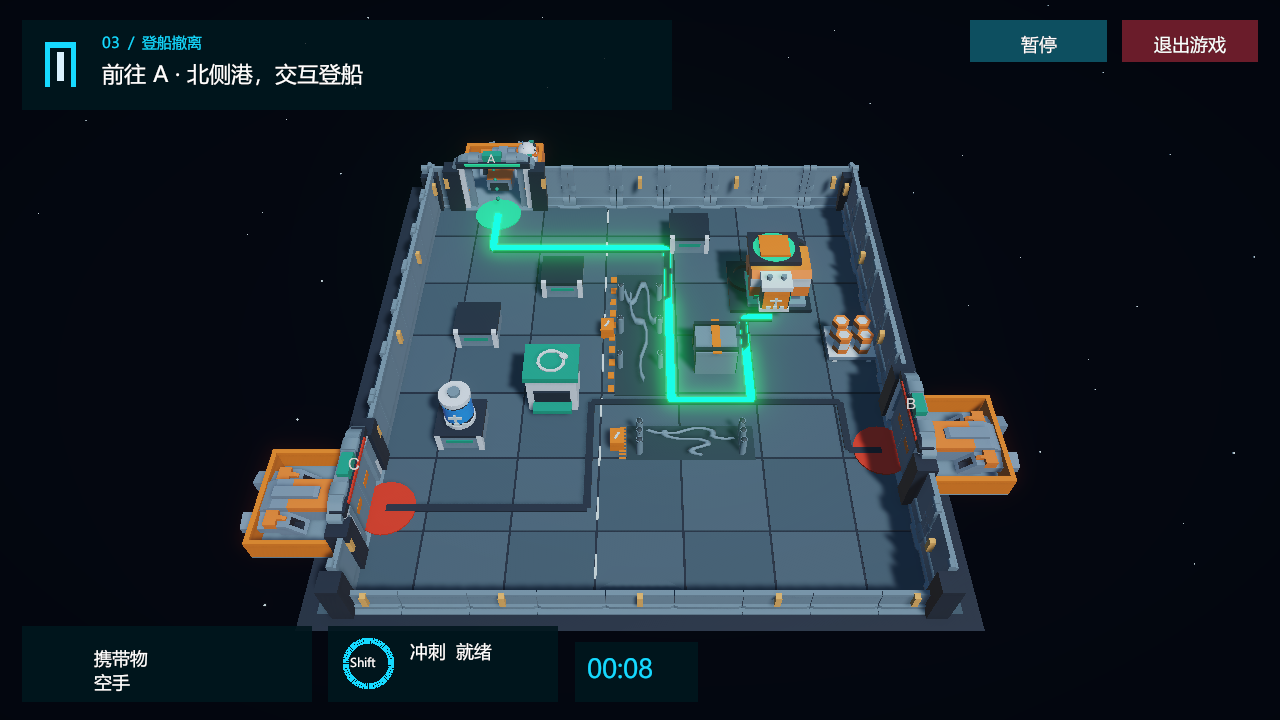
A blackout has trapped maintenance robot M-07 in a cargo station. Its way out is a small repair mission: find the matching battery, bring the emergency generator online, then board the rescue dock selected for this run.
A small mission with a complete loop
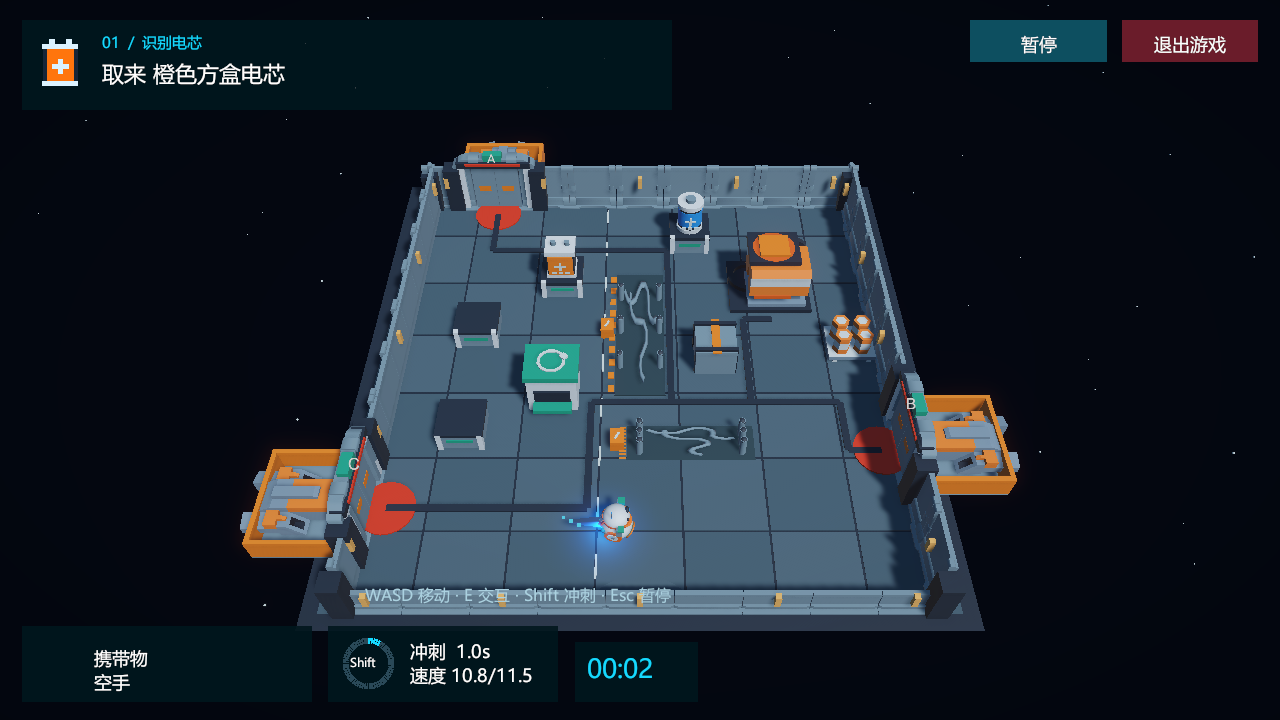
- Identify. Each run asks for a blue cylindrical battery or an orange box-shaped battery. Read the objective and find the matching object.
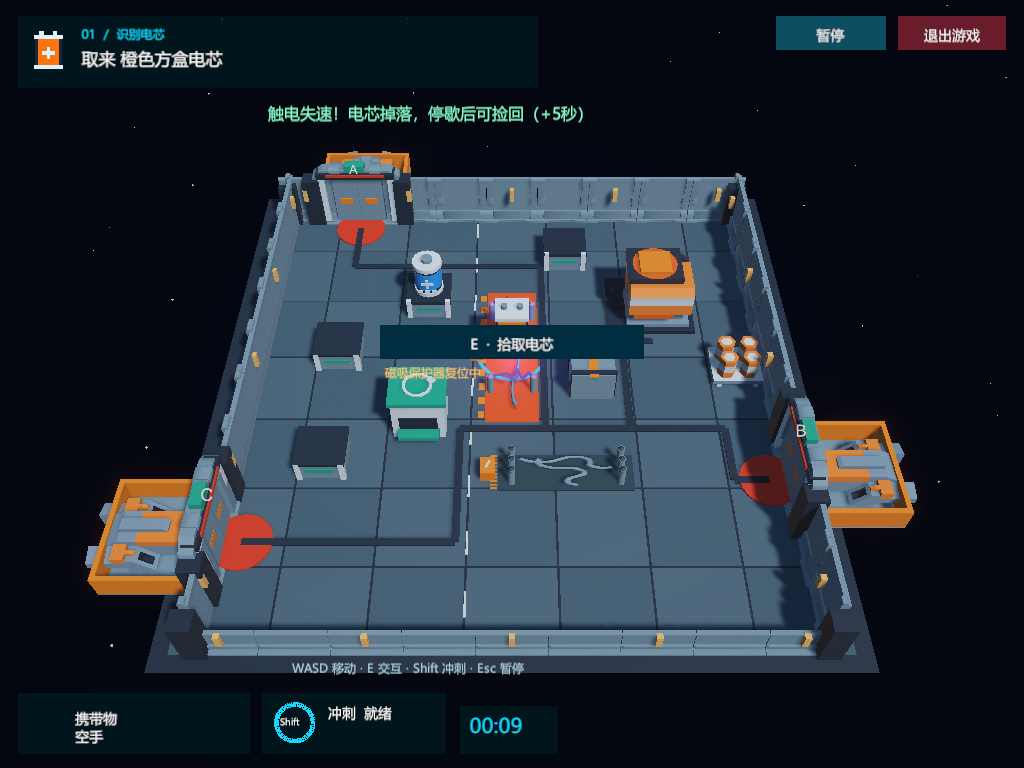
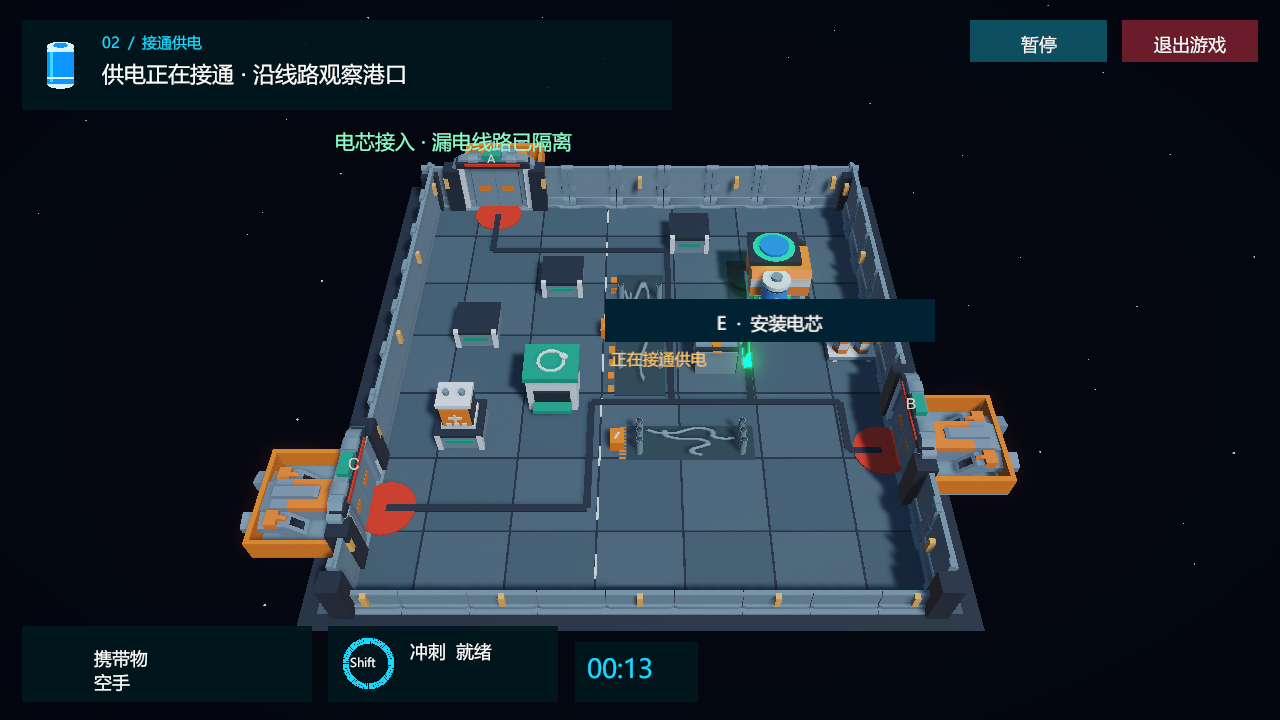
- Carry and repair. Magnetically pick it up, travel around the damaged cables and deliberately install it in the generator.
- Evacuate. Green energy travels toward one selected dock. Wait for its airlock to finish opening, then choose the boarding action.
Battery positions, the required type and the active rescue dock can change between runs. The charging rack, return cabinet, generator and airlocks each have a visible role in the same story.
Make actions and consequences visible
The spherical robot rolls while its head turns toward movement. A boost produces a blue thruster flame and cooldown feedback. Picking up, returning, installing and boarding all require E or the nearby action button.
Damaged cables alternate between discharge and a safe interval. A shock briefly stuns the robot, drops its battery and adds time; the player can retrieve the battery when the discharge stops. Installing the correct battery isolates the fault and starts the power-up sequence.
Try the Windows game
Extract the whole ZIP, open its StationRescueV2_1 folder and run StationRescue.exe. Keep the other extracted files beside it. The packaged game runs without Unity Editor.
- WASD / arrow keys: move.
- Shift: boost, with a 1.1-second cooldown.
- E / nearby action button: interact.
- Esc: pause, help and language selection.
- R: start a new task. Quit buttons are available in the menu and gameplay.
The bug that improved the design
During my playtest, I drove through an opened airlock without boarding. The robot fell through the docking platform. Its visible surface had no supporting collider.
The repair added a solid platform and guardrails to the repeatable scene builder. It also kept the chosen interaction rule: walking into the dock lets the player stand there; deliberately boarding completes the mission. This became a regression case for all three docks.
Read the diagnosis, fix and verification in the course journal →
What A1.0 establishes
The recorded validation contains 317 Editor checks and 176 Windows checks, with another successful first import and 317 checks from a clean source checkout. These are scripted game regressions covering specific paths and states. Reports are available in the public repository.
My next research direction is B: Python control → C: visual AI gameplay → D: memory and replanning experiments. Those are planned extensions. A1.0 is the completed game baseline for that work.
Station props use Kenney’s CC0 Space Kit and Modular Space Kit; original notices are kept in the repository. See the asset credits. All images on this page are actual game captures; image provenance records their origin.