
UNITY 101
Unity 101 · Station Rescue A1.0
Course game complete · Public source availableProject: Station Rescue: M-07 · Course release: A1.0 · Journal updated: 4 October 2026
Starting with a controllable ball, I developed a small 3D repair-and-evacuation game. The verified course version and public source are ready. This journal records what was built and what I learned; assessment and teacher feedback will be recorded separately.
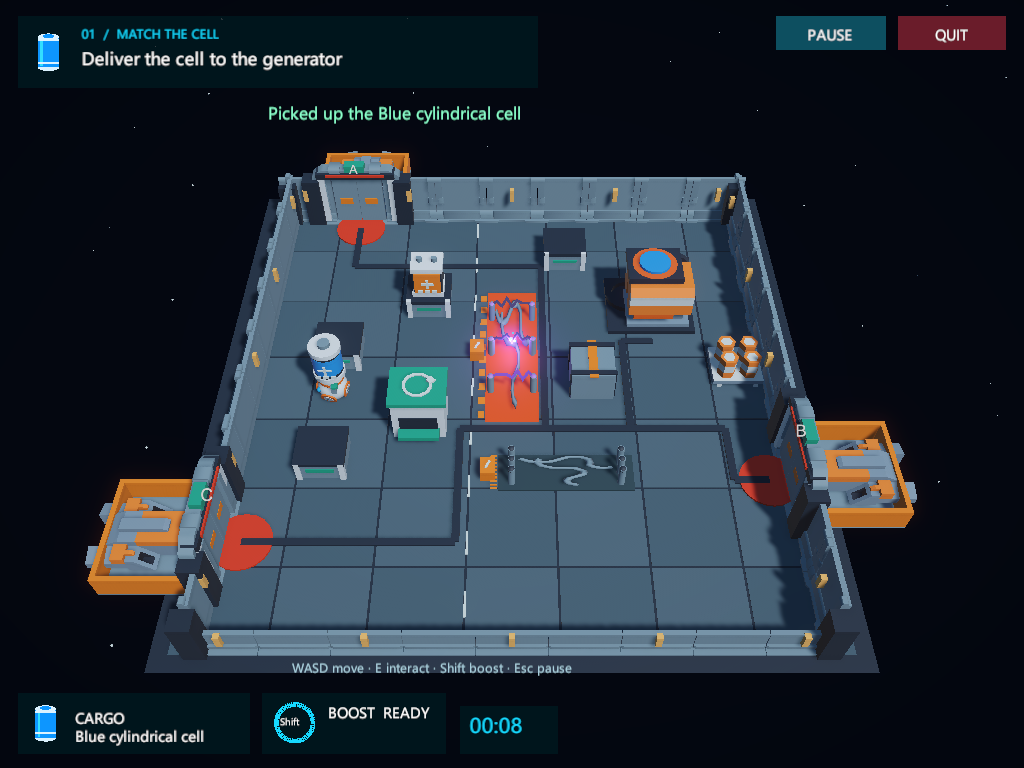
The assignment and its implementation
The Unity 101 Final Project brief asks for a tested 3D game with an accessible quit button, a complete Windows build, a public Git repository and a post-mortem of no more than two pages about one development problem. Its required technical elements are present in A1.0:
- Prefab instantiation: the scene creates battery objects from Prefabs.
- Physics and collisions: the robot, station, devices and docking boundaries participate in the physical scene.
- Instant force: pressing Shift applies a
Rigidbody.AddForceimpulse, with cooldown and visible boost feedback. - Live UI: the objective, carried battery, boost state and timer update during play.
- Scene transition: the menu loads the game scene.
- Audio: actions and game events have sound feedback. Menu and gameplay both offer quitting.
The complete generated Windows folder is packaged as a ZIP. The repository keeps Unity’s Assets, Packages and ProjectSettings, an appropriate .gitignore, README files and asset notices.
From a ball to a readable mission
The first working prototype established movement, collision and boost. Next came a complete task: choose the matching battery, carry it to the generator and evacuate. The presentation pass gave those actions a common setting and visible equipment.
My playtest feedback shaped the important interaction decisions: the head should face movement, boosting should be visible, a discharge should look dangerous, and arriving at a device should reveal an action rather than immediately execute it. Power restoration became a sequence connecting the generator, a physical route and the selected airlock.
The result has a main menu, brief help, a pause menu, immediate Chinese / English switching and a compact in-game objective. Two battery types and three possible rescue docks provide variation within one manageable level.
The open-airlock fall
Observed problem. After restoring power, I drove the robot through the open airlock without pressing E. It fell below the station instead of standing on the visible docking platform.
Initial explanations. We inspected whether the door collider was removed too early, and whether walking through should automatically board. The door was fully open, and manual boarding was the chosen rule. Those explanations did not repair the missing support.
Root cause. The scene builder created LandingPad as a visible shape, but its helper defaulted to a non-solid object. The platform’s renderer remained while its collider was absent; the outer edge also needed a boundary.
Repair. The repeatable builder now keeps a solid platform and adds side and end rails. The player can walk through the opened airlock, remain supported, return to the marker and deliberately board.
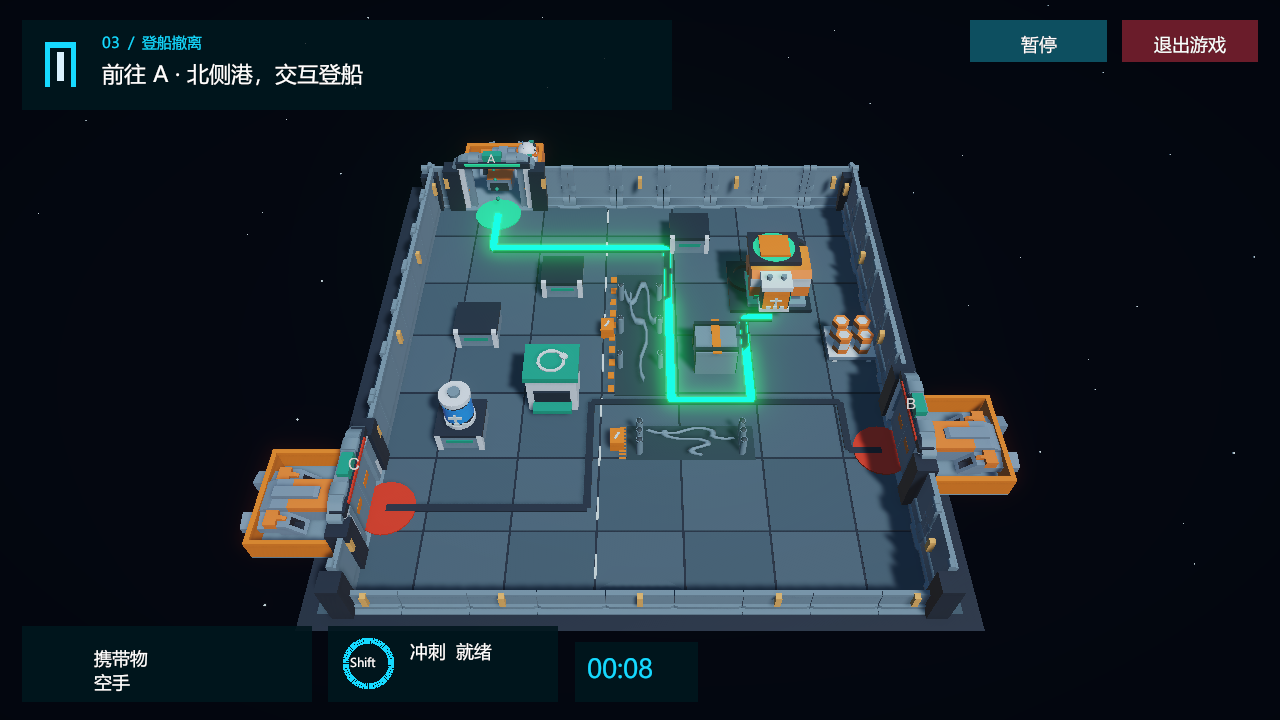
Verification and its limits
A movement regression reproduced the original fall at dock A: after driving forward through the open door, the robot reached approximately y = -26.59. That failed support check gave the fix a concrete acceptance condition.
The repaired version tests forward and sideways movement at all three opened docks, checks their support and rails, then returns to the marker and boards. The recorded results are 317 Editor checks, 176 Windows checks, and a successful first import, compilation and 317 checks from a clean checkout. The complete Windows archive was also extracted and validated.
Those results cover the recorded routes and states. The earlier tests had passed while missing movement past an opened door; that gap is the reason the new case matters. Validation reports ↗
What I will reuse
- Define appearance and behaviour together. A visible route needs physical support; a glowing generator needs a power state and downstream effects.
- Write an interaction contract. Approaching, selecting and executing an action are distinct steps. State what happens for no input, wrong input, repeated input, pause and restart.
- Test the space a state change exposes. An opening door changes where the player can travel; check the new area as well as the animation.
- Make the lesson reusable. The repository includes a DesignKit with a design brief, prompt workbench and lessons from this project.
Authorship and next steps
I supplied the concept, design choices and actual playtest feedback. Coding, regression runs and documentation were assisted by AI. The linked two-page report is a draft for my review before course submission.
The next planned stages are Python control (B), a visual gameplay agent (C), and memory / replanning comparisons (D). This game journal is separate from the 3D Gaussian Splatting lab, whose practical exercise still needs its own evidence.