
HCI
Lab 2 · 3D Gaussian Splatting in Unity
Unity import and rendering completed · class dataset requirements unconfirmedExecuted on 29 October 2026. I imported a public pretrained Gaussian model, created a Unity GaussianSplatAsset, built the viewer and captured three viewpoints from its actual Windows execution. I did not capture photographs or train this model. Whether the class requires a particular dataset or a reconstruction from my own photographs is still unconfirmed.
中文解释与实际结果 → · Paired lecture work: HW2 →
What this HCI exercise does
The supplied HCI lecture overview, page 4, lists Unity and 3DGS under programming. The separately supplied 19-slide 3D Gaussian splatting in unity deck by Mohamed ABDUL GAFOOR covers model creation and then Unity display. This experiment follows its display stage. No files or photographs from the separate ACV3D course were used.
A Gaussian model describes many small coloured, partly transparent ellipsoids. Rendering them from a viewpoint creates a scene image. Model production from photographs and displaying an existing model are distinct operations. A realistic image does not automatically supply solid collision surfaces or usable interaction targets.
Background: what 3DGS is
3DGS stands for 3D Gaussian Splatting. Imagine many coloured, partially transparent ellipsoids in space. Projecting and blending them onto a screen can form a detailed view of a scene. They are not ordinary solid balls or a conventional triangle mesh.
The slides explain four properties: position; shape and orientation; opacity; and colour. View-dependent colour can use spherical harmonics to describe how appearance changes with viewing direction. Simply loading an arbitrary point cloud is therefore not equivalent to loading a trained Gaussian model.
Training compares rendered views with reference images and adjusts the model to reduce the difference. The slides describe adding detail where needed and removing nearly transparent elements. Rendering an existing model in Unity is a separate stage.
Reading the slide deck
- Slides 2–4: rendering with Gaussian primitives instead of triangles.
- Slides 5–9: parameters, training, adding or removing Gaussians, limitations and view-dependent colour.
- Slide 10: the original training repository and a command taking a prepared COLMAP or NeRF Synthetic dataset.
- Slides 11–17: importing a Gaussian model and displaying it in Unity.
- Slides 18–19: Brush and Rerun as additional tools.
If training from photographs is required later
Slide 10’s example command expects a prepared dataset, not an arbitrary folder of photographs. The original implementation documents a CUDA-based workflow. The Brush project, linked on slide 18, is another reconstruction tool to check against class instructions; slide 19 links Rerun. Listing these tools does not mean all must be installed. A reconstruction would add capture, data preparation, training settings and the generated model to this journal.
Materials and reproducibility
| Item | Used in this run |
|---|---|
| Editor | Unity 6000.6.4f1, already installed |
| Pipeline | Universal Render Pipeline 17.6.0 |
| Graphics | AMD Radeon(TM) 780M, Direct3D 12 |
| Renderer | Aras Pranckevicius, UnityGaussianSplatting, commit ebd76138a09b68340db3c74b3867f0451a53b6cd |
| Input | Niantic SPZ public sample hornedlizard.spz, 18,143,098 bytes |
| Input revision | SPZ repository commit affd0ecea7fbb4c265ee119475af7ee5b2997482 |
| Imported representation | 786,233 Gaussians, Medium asset preset |
| Execution | Windows viewer, 1280 × 800; three saved viewpoints |
The classroom screenshots use Unity 6000.0.23f1 and PLY. This run uses the installed Unity 6 version and SPZ, which the course-linked renderer also supports. The format difference is recorded rather than presented as an exact reproduction of the class dataset.
Model SHA-256: a076ca6aeb9f1a8fe52526f4a7c381fe8fffec60c0d7eb64b45532189b64bc6a.
Actual process
- Check the course materials. Slides 10 and 11–17 distinguish training from loading and displaying a model. The local course folder contained slides but no Gaussian model.
- Obtain a small public input. I used Niantic’s pretrained horned-lizard sample instead of downloading the 14 GB collection linked by the viewer. Its source revision and hash are retained.
- Prepare a separate URP project. I based it on the renderer’s GaussianExample-URP and used the installed Editor. The existing Station Rescue game was not changed.
- Resolve compilation. The first minimal package manifest omitted the built-in XR module; the renderer referenced
XRSettingsand compilation failed. Adding the built-in XR reference resolved this error. The final project manifest also retains its Physics reference. This was a project dependency issue, not evidence that a new graphics driver or Editor installation was needed. - Create the Gaussian asset. An Editor automation script invokes the same upstream asset-creation implementation exposed by
Tools > Gaussian Splats > Create GaussianSplatAsset. It imports the SPZ, selects Medium precision and saves the generated data inAssets/GaussianAssets. These steps were scripted; I do not claim to have clicked through the dialog manually. - Set up and inspect the scene. I assigned the asset to GaussianSplatRenderer, set the object transform and camera, and saved
Lab2-HornedLizard. The Windows build uses Direct3D 12, as required by the renderer on Windows. - Correct framing and capture. The model’s full bounds extend to roughly ±200 because they include distant Gaussians; fitting the camera to those bounds makes the subject too small. Inspecting central position quantiles gave a camera target near the scene origin and a distance scale of 1.2. No Gaussians were removed. A hidden-window capture initially produced invalid or black images, which were rejected. I then ran the viewer visibly and captured its camera render texture after rendering.
- Record execution. The viewer switches between three camera positions and saves actual rendered frames plus runtime information. The images below are those valid frames, not slides or generated illustrations.
Result
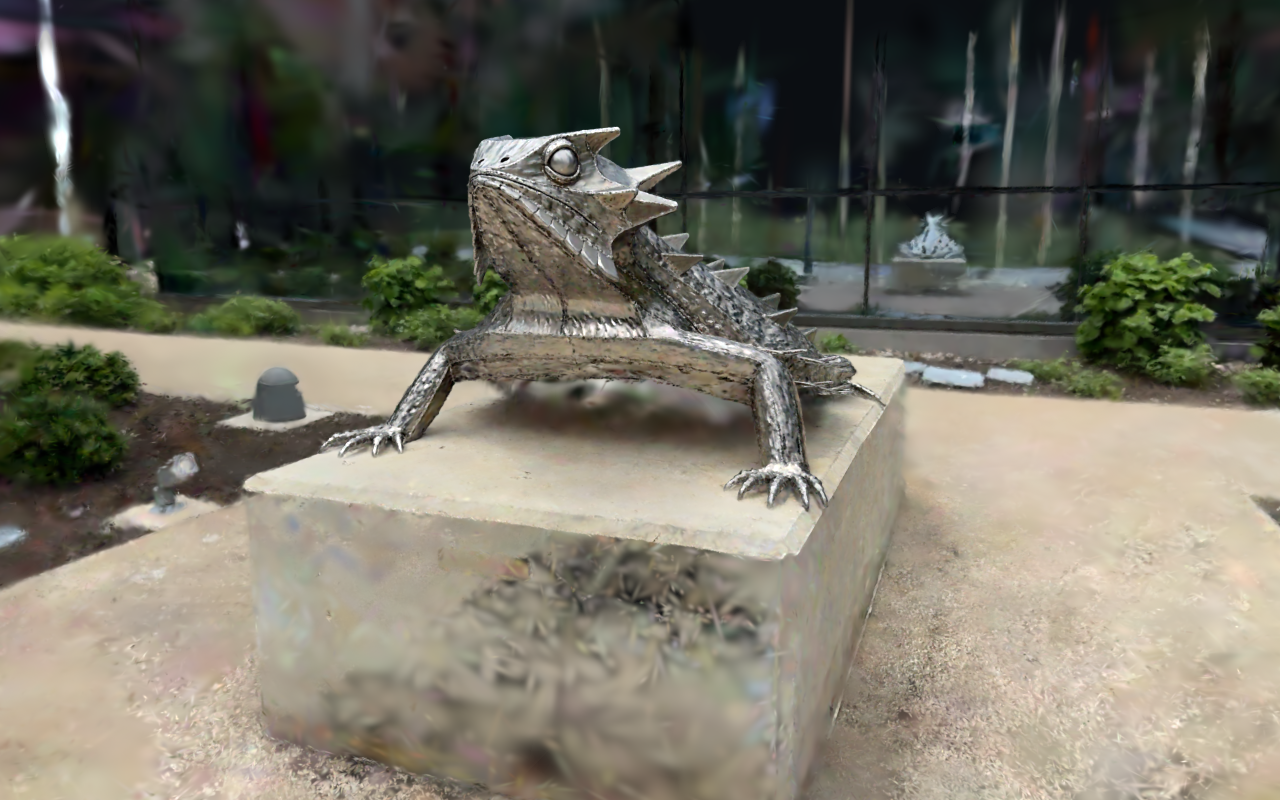
View 1. Actual Windows viewer output from this experiment.
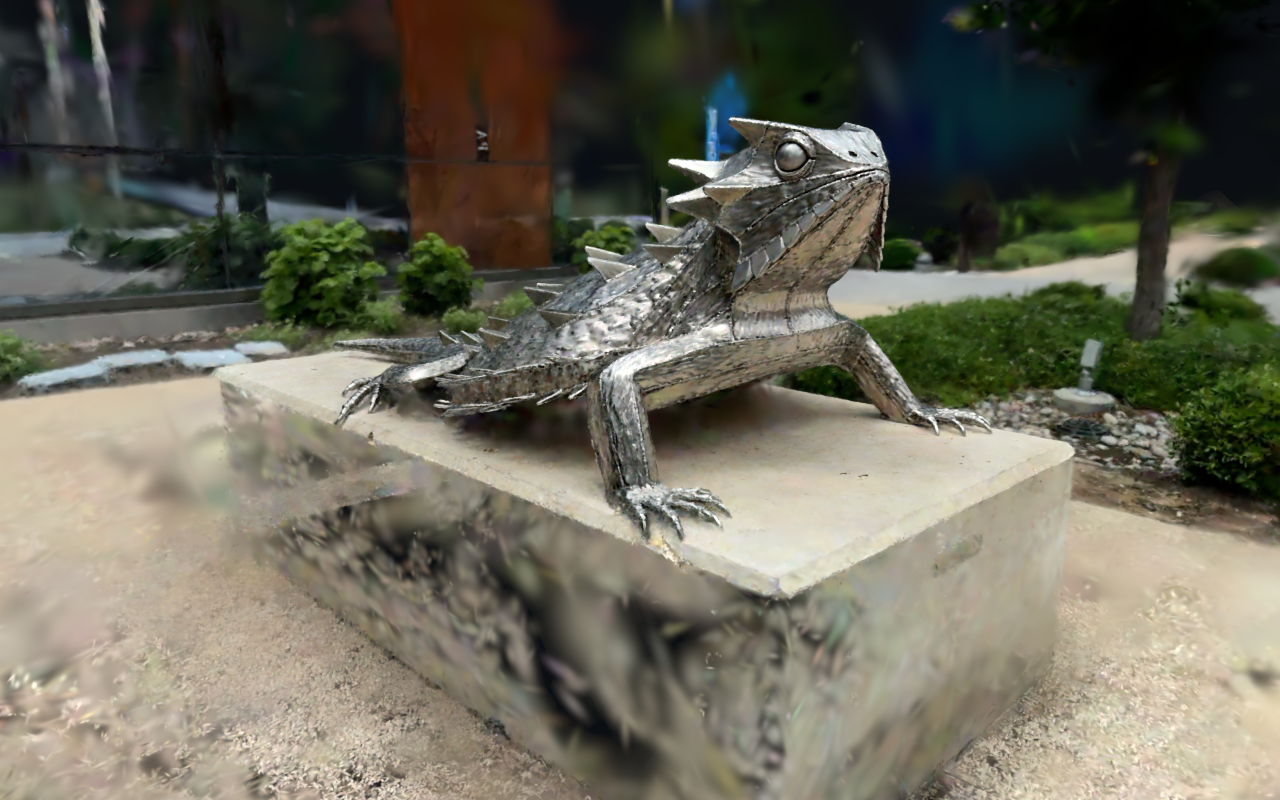
View 2. Changing the camera inspects the same three-dimensional representation.
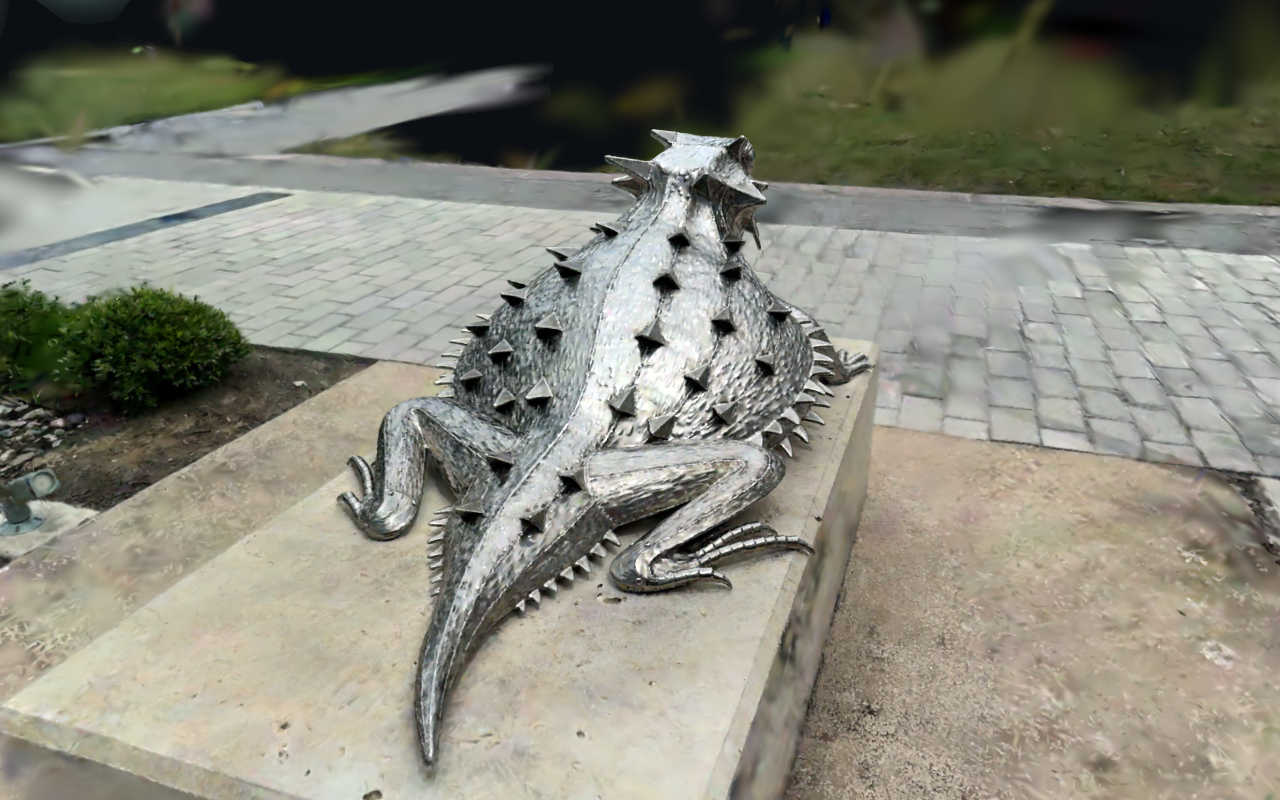
View 3. A third view is retained to inspect view-dependent appearance and reconstruction limits.
The generated asset contains 786,233 Gaussians. The Windows build succeeded and its runtime reports a valid asset and compute-shader support. The saved views were checked visually: the sculpture is recognisable from both sides and behind, while the base and surrounding surfaces show blur and incomplete details. The runtime also logs a D3D12 upload-buffer-size warning; the visible render succeeds, but this is not a claim of a warning-free run. This is an import and rendering result, not a reconstruction-accuracy benchmark or a measured frame-rate claim.
HCI reflection and remaining scope
The model provides convincing visual content for a possible interactive scene. Choosing viewpoints and making navigation understandable are interaction questions; collision, object selection and task feedback still need separate implementation. The distinction connects to HW2’s discussion of Sutherland: visual display is only part of an interactive system.
Completed here: public-model import, asset creation, URP scene setup, Windows rendering, three-view evidence and process documentation.
Not established: a student-captured reconstruction, training quality, use of a teacher-specified dataset, or confirmation that the teacher accepts a public sample as the full Lab 2 submission. The archived lecture deck contains old and inconsistent deadline text; it is not evidence of the current year’s deadline.
Sources and assistance
- Mohamed ABDUL GAFOOR, 3D Gaussian splatting in unity, supplied HCI deck, especially slides 10–17.
- Course-linked UnityGaussianSplatting renderer (usage): supported formats, asset creation and Windows graphics requirements.
- Original 3D Gaussian Splatting implementation (slide 10): the training workflow, not used in this run.
- Brush (slide 18) and Rerun (slide 19): additional tools named in the deck, not used in this run.
- Niantic SPZ sample source: the public pretrained model, not my own capture.
Project setup, execution, checks and writing were performed with AI assistance. The screenshots are from this computer’s actual Unity run.